Calculator: Simple Calculator
- 1.50K
- 4.9
- Installs
- 30.00M
- Version
- Varies with device

Screenshots
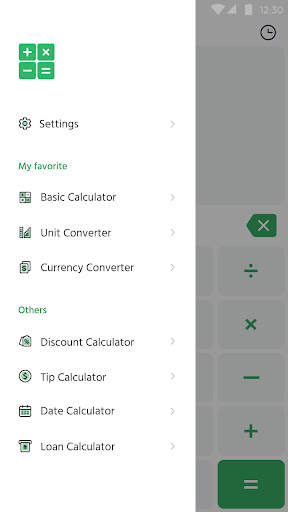
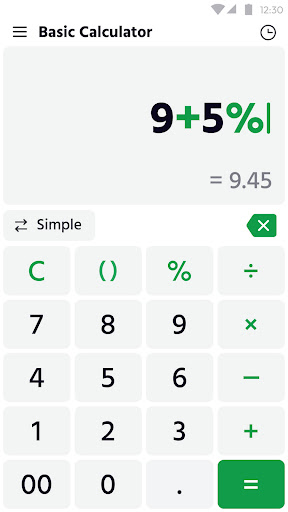


Pros
Calculator: Simple Calculator offers an intuitive, clutter-free interface designed for fast, everyday arithmetic. Large buttons, clear results and straightforward navigation make it ideal for students, professionals and casual users. Minimal setup and immediate access to addition, subtraction, multiplication and division reduce errors and speed up routine calculation tasks.
Reliable calculation accuracy and handy features like memory recall, calculation history and percent functions make this app dependable for both simple and moderately complex tasks. Offline operation ensures quick access without internet, while copy-and-paste support and clear display help prevent mistakes and simplify number transfer between apps and documents.
Lightweight and high-performance, Calculator runs smoothly on older phones and uses minimal storage and battery. Customizable settings, large-button layouts and high-contrast themes improve accessibility, while homescreen widgets and quick-launch support let you perform frequent calculations without opening the full app, saving time and streamlining workflows.
Cons
The app’s limited functionality is geared toward basic arithmetic and lacks scientific functions like trigonometry, logarithms, graphing, unit conversion, and advanced memory operations. Users who need complex formulas, statistical tools, or programmable features will need to switch to a more capable calculator, reducing convenience and workflow efficiency.
Frequent ads and paywalls disrupt the experience: the free version often shows intrusive ads that interrupt calculations, while key features are locked behind in-app purchases or subscriptions. This monetization model can frustrate users who expect a fully usable calculator for routine tasks without recurring costs or constant ad interruptions.
Usability and accessibility are basic and constrained. The interface offers little customization, no calculation history export, and limited input options like voice or keyboard shortcuts. Small buttons, lack of landscape/tablet optimization, and sparse accessibility features can make the app harder to use on larger devices or for users with disabilities.


