Samsung Internet Browser
- 1.70K
- 4.4
- Installs
- 30.00M
- Version
- Varies with device

Screenshots




New Features for you
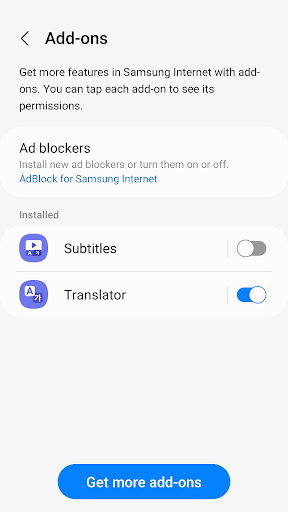
* Browser Extensions (Galaxy Store Required)
We introduce general purpose Browser Extensions, such as Mate Translate. These can be installed from the Galaxy Store to bring even more features to the powerful Web Browser. Tap “Add-ons” in the menu to learn more.
* Tab Bar for Phone
You can now enable a tab bar beneath the URL bar to see open tabs, like on desktop web browsers. This can be turned on under the "Appearance" menu.
* Video Assistant
Video Assistant is back to support you to enjoy video watching experience more than ever. With the purple floating button, you can easily change to watch as full-screen or popup-screen.
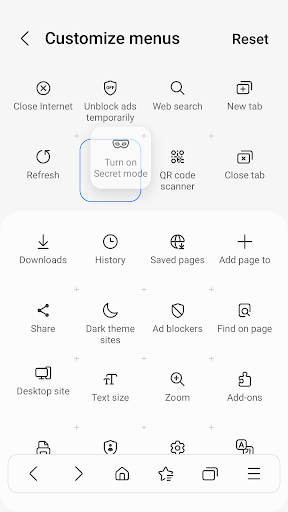
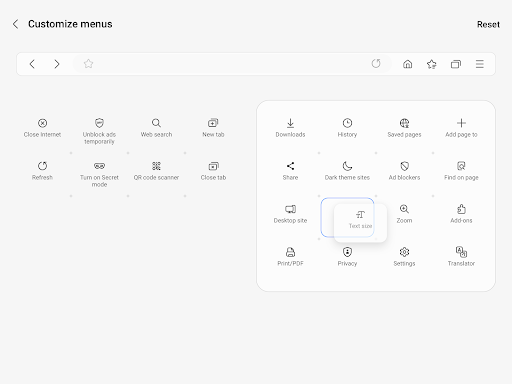
* Customize menu
You can relocate buttons on bottom toolbar as you like. All of buttons in ‘more’ menu will be the candidates.
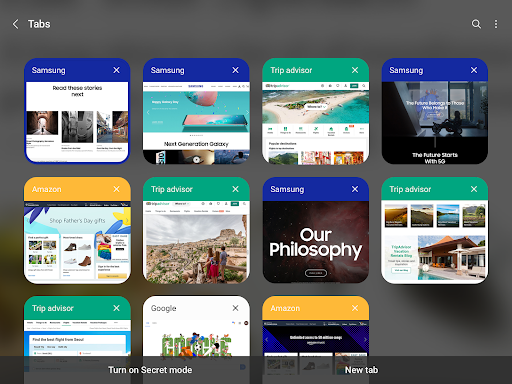
* Tab Manager Renewal
Try our newly decorated list-view mode of Tab Manager.
Security & Privacy
Samsung Internet helps you protect your security and privacy while browsing the Internet.
* Smart Anti-Tracking
Intelligently identify domains which have cross-site tracking ability and block storage (cookie) access.
* Protected Browsing
We will warn you before you can view known malicious sites to prevent you from visiting web sites which may try to steal your data.
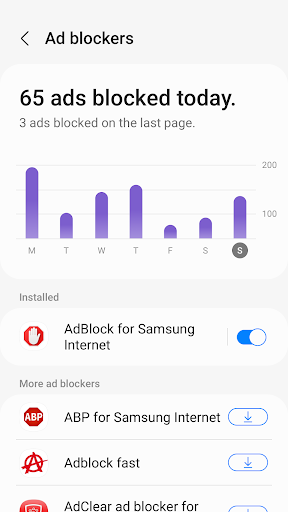
* Content Blockers
Samsung Internet for Android allows 3rd party apps to provide filters for content blocking, making browsing safer and more streamlined.
The following permissions are required for the app service.
For optional permissions, the default functionality of the service is turned on, but not allowed.
Required permissions
none
Optional permissions
Telephone: Used to check device-unique identification information for app analysis information
Location: Used to provide location-based content requested by the user or location information requested by the webpage in use
Camera: Used to provide webpage shooting function and QR code shooting function
Microphone: Used to provide recording function on webpage
Contacts: Used to get the device account information for cloud sync
Storage: Used to store files when downloading from webpages
If your system software version is lower than Android 6.0, please update the software to configure App permissions.
Previously allowed permissions can be reset on Apps menu in device Settings after software update.


