
Microsoft Designer
for Windows- Name Microsoft Designer
- Category Productivity
- Downloads 33,000,000+
- Developer Microsoft Corporation
- Available on PC
- OS Windows 10 version 19041.0 or higher
- Architecture neutral





Pros
1. Template Variety: Microsoft Designer offers a vast selection of professionally-crafted templates, catering to diverse projects, allowing users to quickly begin and effectively execute design tasks without the need for extensive design experience.
2. Integration with Microsoft Suite: Seamless integration with Microsoft 365 suite enhances productivity by allowing easy incorporation of data from Word, Excel, and other applications, facilitating a unified workflow.
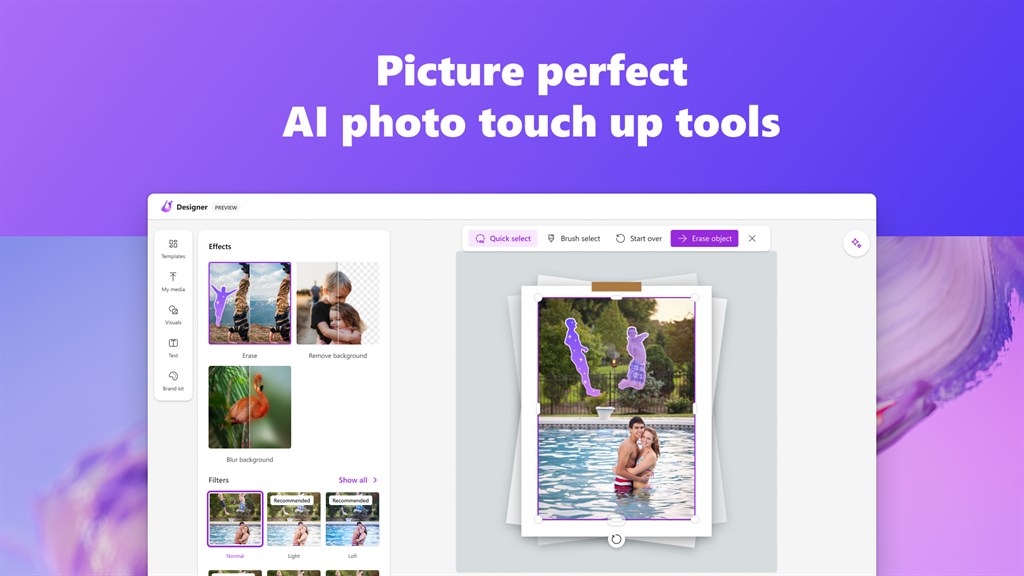
3. AI-Powered Assistance: Leveraging artificial intelligence, Microsoft Designer streamlines the creative process by suggesting design elements, layouts, and imagery, thus enabling users to create visually compelling content with minimal effort.
Cons
1. Limited Features: Microsoft Designer might not offer as many advanced features or fine-grained control options as other established graphic design software, potentially limiting the creative freedom of professional designers.
2. System Requirements: Being a modern application, it might demand a higher-spec PC for smooth operation, which could be a disadvantage for users with older or less powerful hardware.
3. Compatibility Issues: Files created with Microsoft Designer may not be fully compatible with other design software, potentially causing issues when collaborating with users of different programs or when attempting to migrate work between different platforms.


