
Microsoft Wireless Display Adapter
for Windows- Name Microsoft Wireless Display Adapter
- Category Utilities & tools
- Downloads 108,000,000+
- Developer Microsoft Corporation
- Available on PC, Xbox console, Surface Hub, HoloLens
- OS Windows 10 version 17134.0 or higher
- Architecture x86, x64, Arm
- Touch Not specified
- Keyboard Not specified
- Mouse Not specified
- Bluetooth Not specified
- Notes Not specified
Pros
1. Seamless Screen Mirroring: The Microsoft Wireless Display Adapter software enables you to effortlessly mirror your PC screen to a larger display, such as a TV or projector, eliminating the need for cables and allowing for a more flexible and convenient presentation or entertainment experience.
2. Wireless Audio and Video Transmission: With the Microsoft Wireless Display Adapter software, you can transmit both audio and video wirelessly from your PC to a compatible display, ensuring a high-quality and immersive multimedia experience without the limitations of cables.
3. Multi-Device Compatibility: This software is compatible with various devices, including Windows PCs, laptops, and tablets, making it versatile and suitable for a wide range of users. It allows for easy connectivity and sharing of content, enhancing collaboration and productivity in both professional and personal settings.
Cons
1. Limited compatibility: The Microsoft Wireless Display Adapter software is only compatible with devices running Windows 8.1 or Windows 10, limiting its usage to a specific range of operating systems.
2. Connection issues: Users may experience occasional connection problems, such as dropped connections or lag, which can disrupt the seamless streaming experience provided by the software.
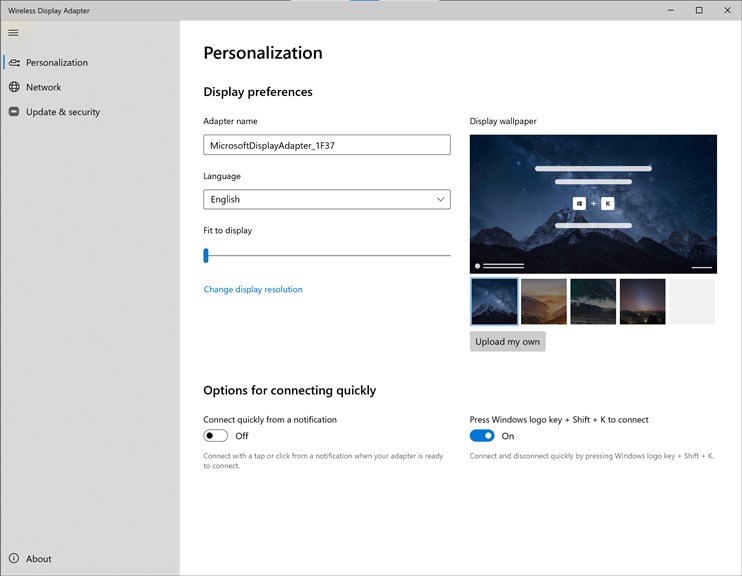
3. Lack of advanced features: The software lacks advanced features and customization options, making it less flexible compared to other screen mirroring solutions available in the market.


