
Sysinternals Suite
for Windows- Name Sysinternals Suite
- Category Utilities & tools
- Downloads 59,000,000+
- Developer Microsoft Corporation
- Available on PC
- OS Windows 10 version 18362.0 or higher
- Architecture x86, x64, Arm64
- Keyboard Not specified
- Mouse Not specified
Pros
1. Powerful troubleshooting capabilities: The Sysinternals Suite offers a wide range of advanced diagnostic tools, allowing users to identify and resolve complex issues with their PC, such as performance bottlenecks, system crashes, and malware infections.
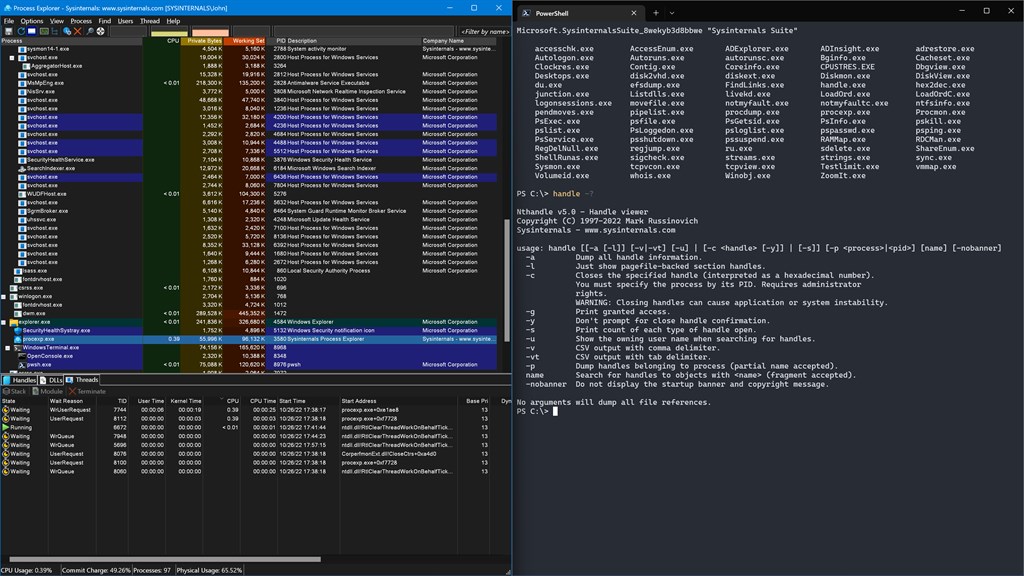
2. Comprehensive system monitoring: With tools like Process Explorer and TCPView, Sysinternals Suite provides real-time monitoring of system processes, network connections, and resource utilization, giving users detailed insights into system activity and helping them optimize performance.
3. Advanced administrative control: The Suite includes tools like PsExec and PsTools, enabling IT professionals and system administrators to execute processes remotely, manage services, and control user access, facilitating efficient administrative tasks and remote troubleshooting.
Cons
1. Learning curve: The Sysinternals Suite software for PC can be complex to navigate and understand, requiring users to invest time in learning and familiarizing themselves with its tools and functionalities.
2. Advanced level requirement: Some tools within the Sysinternals Suite may be more suitable for experienced users due to their technical nature, making it less beginner-friendly and potentially daunting for those without a strong technical background.
3. Platform limitation: The Sysinternals Suite software is primarily designed for Microsoft Windows operating systems, and may not be compatible or accessible for users who rely on different operating systems such as macOS or Linux.


